> ## Documentation Index
> Fetch the complete documentation index at: https://docs.mesi.app/llms.txt
> Use this file to discover all available pages before exploring further.
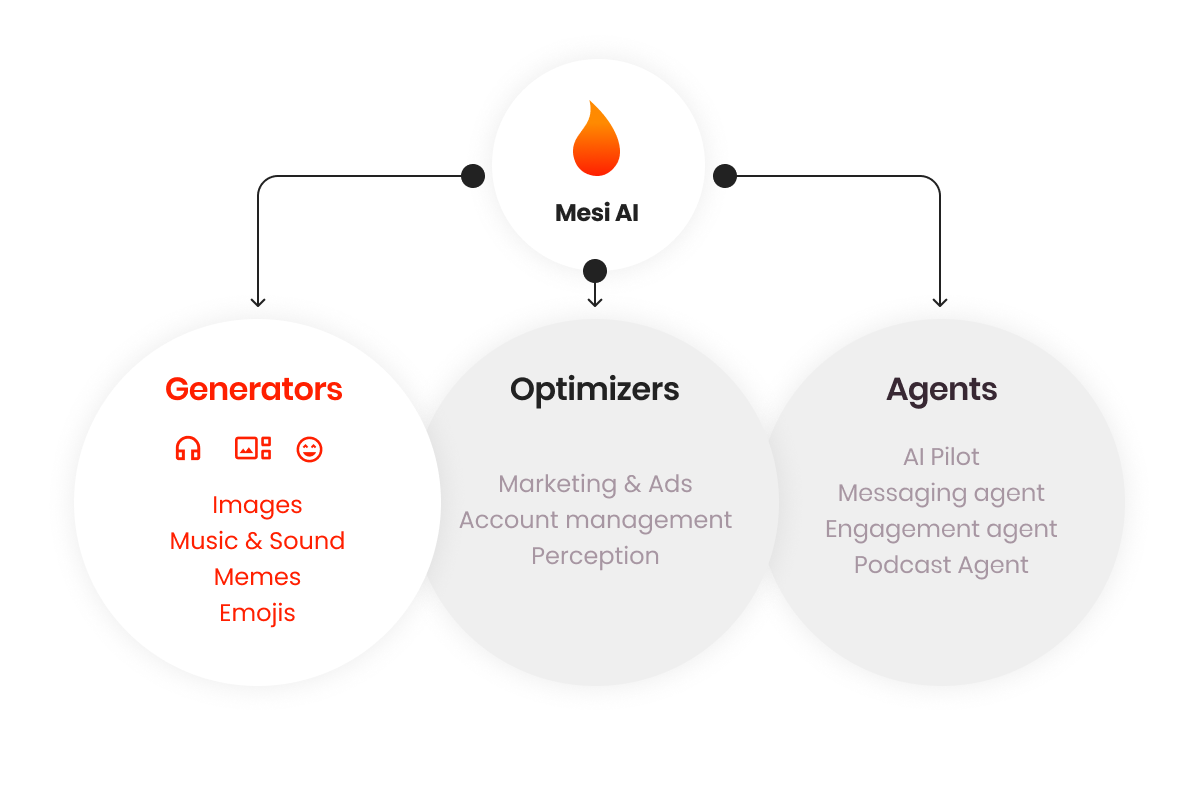
# AI Generators
> Transform ideas into professional-grade images, music, and memes using Mesi's integrated AI toolset.
Mesi AI provides a comprehensive suite of creative tools designed to simplify content production. Whether you are generating assets from scratch or enhancing existing media, these tools bridge the gap between imagination and execution.
 ## Image Creator
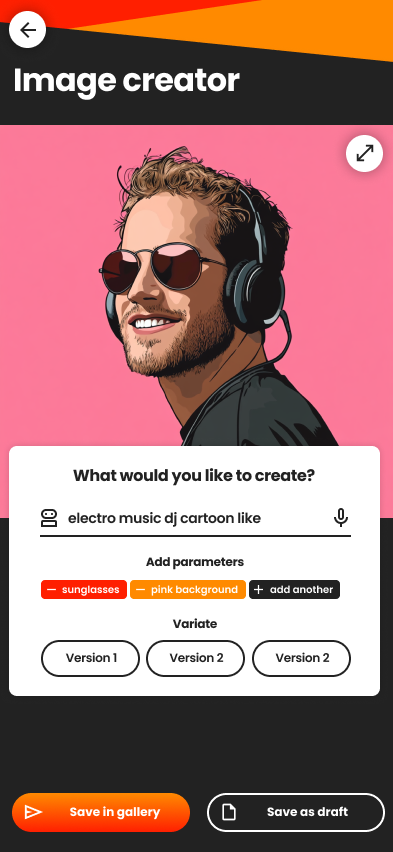
Generate high-fidelity visuals using voice, text, or reference images from your gallery.
### Key Capabilities
* **Prompt-to-Image:** Create visuals from descriptive voice or text prompts.
* **Image-to-Image:** Use existing photos to influence the pose, style, or composition of a new generation.
* **Advanced Editing:** Swap backgrounds, refine facial features, modify outfits, or apply complex artistic filters (e.g., "Game of Thrones style").
**Identity & Compliance:** If you generate images of yourself or any human face, you **must** label your account as an **AI Account**. Failure to do so may result in rejected prompts or account sanctions for misleading users. [Learn more about Account Types](/path-to-real-vs-ai).
***
## Emojis & Memes Creator
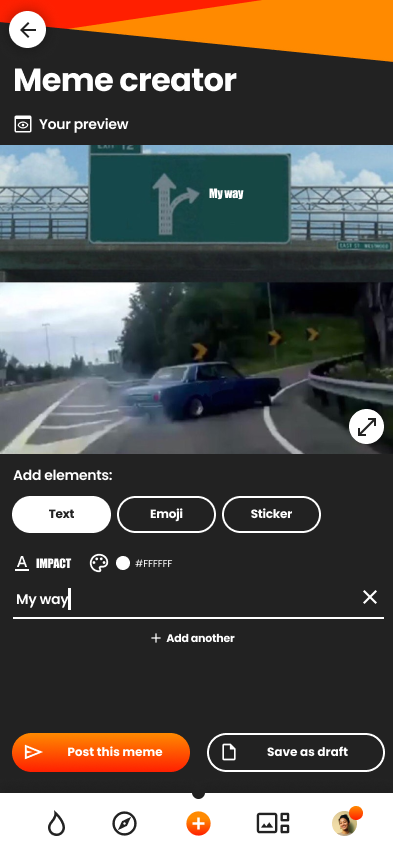
Create custom social assets to engage your community. You can generate content by:
* Describing the humor or vibe via text/voice.
* Uploading personal photos to turn into personalized stickers.
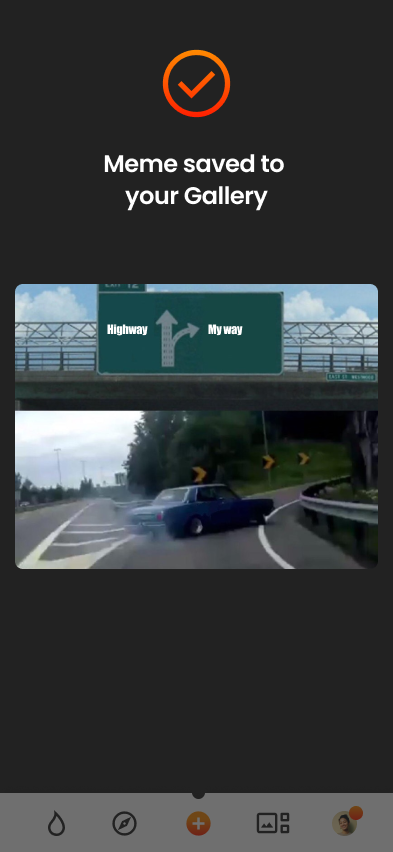
* Modifying existing viral meme templates.
***
## Music Creator
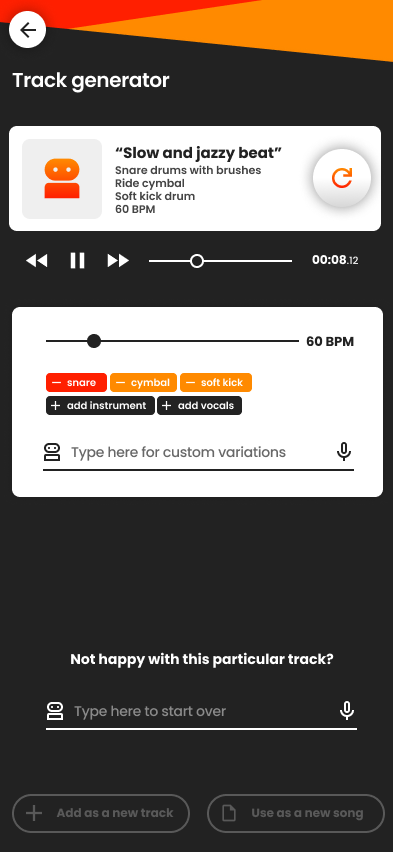
The Music Creator is a powerful workstation that integrates with the **Mesi Sound Clips Library**. It is designed for both beginners and professional artists.
### Core Features
Describe a style or mood to generate full tracks or specific instrumental layers.
Upload a photo, and the AI will compose a track inspired by the mood and visuals of the image.
Add harmonies, correct pitch, and apply professional studio effects to vocal tracks.
Let the AI analyze your project to polish the final mix and master the track.
Automatically generate drum patterns and chord progressions based on your genre.
Export your work as high-quality WAV/MP3 files or as individual stems for further editing.
## Image Creator
Generate high-fidelity visuals using voice, text, or reference images from your gallery.
### Key Capabilities
* **Prompt-to-Image:** Create visuals from descriptive voice or text prompts.
* **Image-to-Image:** Use existing photos to influence the pose, style, or composition of a new generation.
* **Advanced Editing:** Swap backgrounds, refine facial features, modify outfits, or apply complex artistic filters (e.g., "Game of Thrones style").
**Identity & Compliance:** If you generate images of yourself or any human face, you **must** label your account as an **AI Account**. Failure to do so may result in rejected prompts or account sanctions for misleading users. [Learn more about Account Types](/path-to-real-vs-ai).
***
## Emojis & Memes Creator
Create custom social assets to engage your community. You can generate content by:
* Describing the humor or vibe via text/voice.
* Uploading personal photos to turn into personalized stickers.
* Modifying existing viral meme templates.
***
## Music Creator
The Music Creator is a powerful workstation that integrates with the **Mesi Sound Clips Library**. It is designed for both beginners and professional artists.
### Core Features
Describe a style or mood to generate full tracks or specific instrumental layers.
Upload a photo, and the AI will compose a track inspired by the mood and visuals of the image.
Add harmonies, correct pitch, and apply professional studio effects to vocal tracks.
Let the AI analyze your project to polish the final mix and master the track.
Automatically generate drum patterns and chord progressions based on your genre.
Export your work as high-quality WAV/MP3 files or as individual stems for further editing.
.png?fit=max&auto=format&n=H4xAASJreuQUVmZJ&q=85&s=f5614cf435cb8bcf4203ad1633fe8d44) > **Example Use Case:** > Susan uploads a photo of a "calm mountain view" and prompts the AI for "serene, soft winds." The tool generates a 1-hour ambient track, which Susan then uploads to Mesi as a **Music NFT** titled "Relaxing Mountain Sound."
***
## Sound Clip Creator
Generate short, high-quality audio samples and foley for your productions or the community library.
* **Environmental:** Falling rocks, singing birds, wind, or engines.
* **Musical:** Bass beats, synth stabs, and specific frequency waves.
* **Foley:** Custom audio effects tailored to your video content.
**Monetization:** Once created, you can upload clips to the **Mesi Sound Clips Library**. You can offer them for free to build your brand or set **licensing fees** for other creators to use them in their work.
> **Example Use Case:** > Susan uploads a photo of a "calm mountain view" and prompts the AI for "serene, soft winds." The tool generates a 1-hour ambient track, which Susan then uploads to Mesi as a **Music NFT** titled "Relaxing Mountain Sound."
***
## Sound Clip Creator
Generate short, high-quality audio samples and foley for your productions or the community library.
* **Environmental:** Falling rocks, singing birds, wind, or engines.
* **Musical:** Bass beats, synth stabs, and specific frequency waves.
* **Foley:** Custom audio effects tailored to your video content.
**Monetization:** Once created, you can upload clips to the **Mesi Sound Clips Library**. You can offer them for free to build your brand or set **licensing fees** for other creators to use them in their work.